How to Get and Edit Legend(ColorBar) handle
Hello my friends,
Have a good day.
Today, i will show you how to get Legend Handle,and edit its properties by tcl command.
first, this Figure below show the way how to get Legend Handle
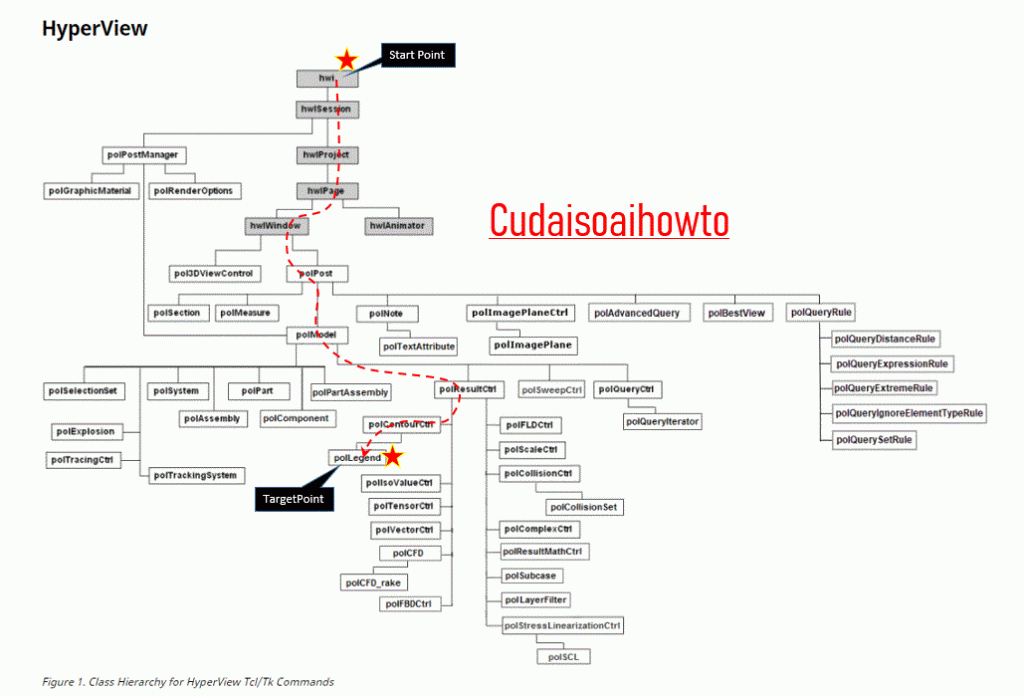
so, to get legend handle, we can go by this way
hwi–>hwiSession–>hwiPage–>hwiWindow–>poIPost–>poIResultCtrl–>poIContour–>poILegend
let do it,by this codes bellow
set t [clock click]

hwi OpenStack
  hwi GetSessionHandle mySession$t
     mySession$t GetProjectHandle myProject$t
       myProject$t GetPageHandle myPage$t [myProject$t GetActivePage]
         myPage$t GetWindowHandle myWindow$t [myPage$t GetActiveWindow]
            myWindow$t GetClientHandle myPost$t
              myPost$t GetModelHandle myModel$t [myPost$t GetActiveModel]
                  myModel$t GetResultCtrlHandle myRes$t
                    myRes$t GetContourCtrlHandle myContour$t
                       myContour$t GetLegendHandle myLegend$t
now we got mylegend$t handle.
next, we will try to edit this legend handle, by some commands.
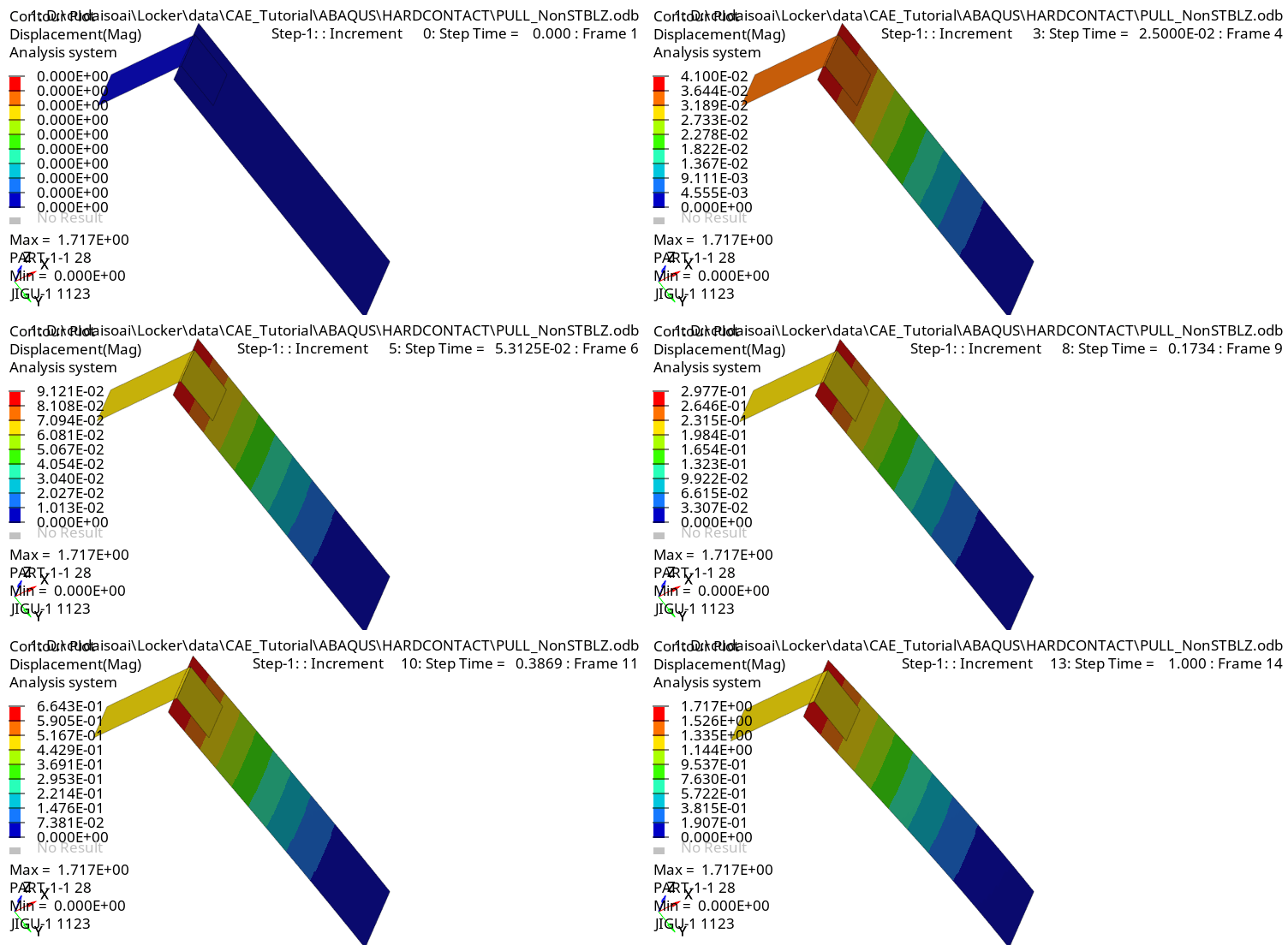
myLegend$t SetType dynamicby dynamic type, legend will change following increment like pic below
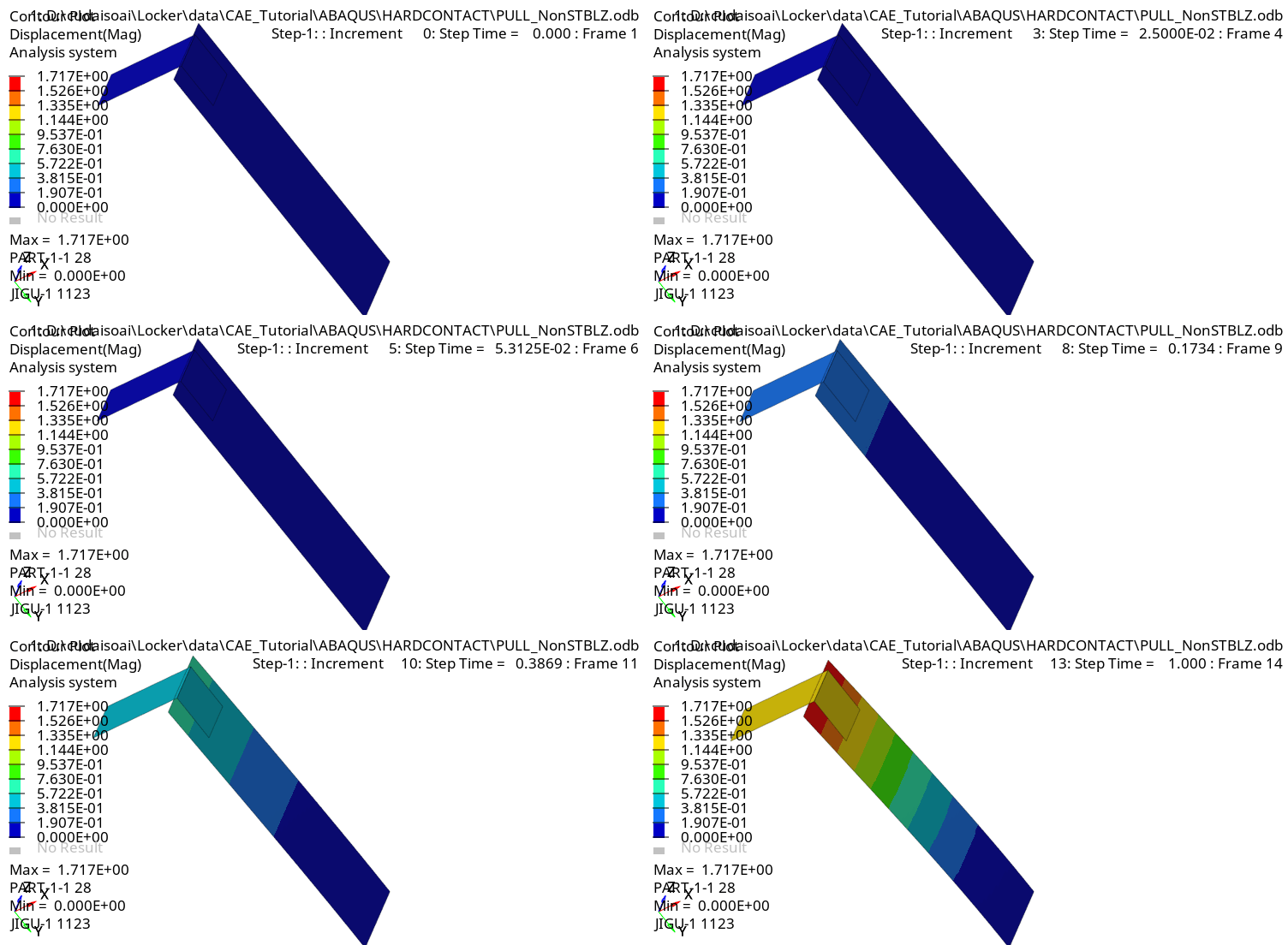
myLegend$t SetType userby user type, legend will not change through increments, like pic below
you can edit NumericFormat of legend by the following command
myLegend$t SetNumericFormat fixed #by default is scientific.by set numericformat to fixed, legend will change like pic below

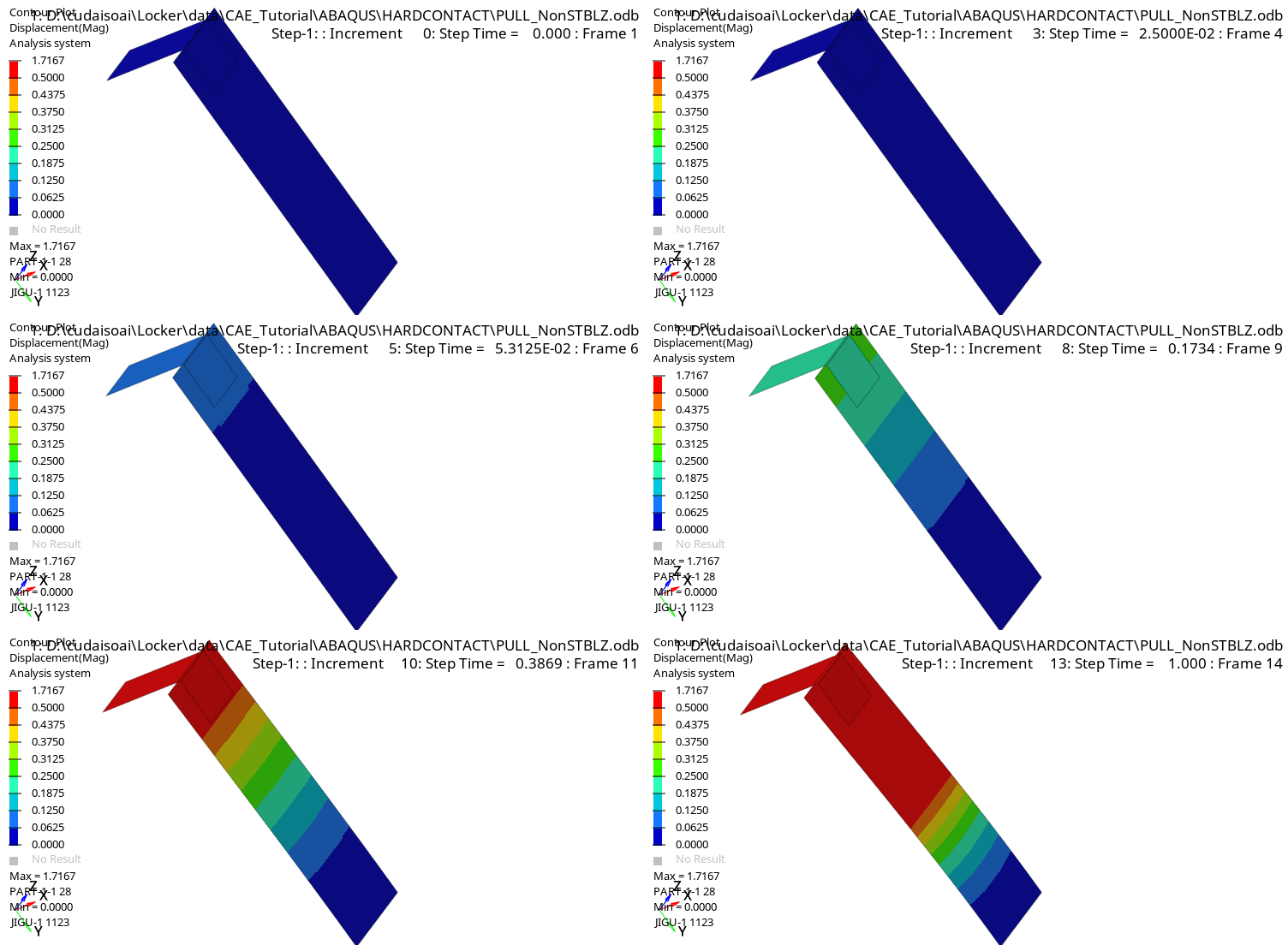
to change maxvalue of legend from 1.5259 to 0.5, you can use this following codes
set legend_range [myLegend$t GetNumberOfColors ]
myLegend$t OverrideValue [expr $legend_range - 1] 0.5 false
legend will be change like pic below
Tips: to see the change of legend, you must refresh your hyperview window, by this command
myPage$t StartAnimation  #start animation
myPage$t StopAnimation   #then stop it, to refresh window
you can also edit font of legend by command. Just see help of hyperview, you will see many infomation.
hope this useful to you
if you like this post, please comment, or like it. by that, i will know this post is useful for you, and try to write more post.
sorry about my poor english, but i will try my best
Bye
Cudaisoai
 cudaisoaihowto